Server audits
A server audit checks one machine from top to bottom in a single run and grades it from A to F. Use it when you build a server and hand it over to a client or a team, or to check where an existing server stands.
What an audit checks
Every audit runs all of DeaconGuard's checks:
- Package vulnerabilities, against the distribution's own security advisories.
- System file integrity, against the package manager's checksums.
- Malware and compromise indicators.
- Security configuration.
- The hardening baseline: 72 controls, from accounts and SSH to kernel settings, logging and file permissions. See the baseline's controls.
- An antivirus scan with ClamAV. Optionally the advanced antivirus scan with YARA rules too.
On a Mac, an audit runs the checks that apply to macOS: whether the Mac has Apple's latest updates, and the macOS baseline. The others are for Linux.
It also records the machine's inventory: operating system, kernel, hardware, memory, uptime, disks and their usage, network addresses, listening services, administrators and accounts that can log in, time zone and clock synchronisation, and the number of packages.
Like every scan, an audit only reads: it changes nothing on the machine. It takes a few minutes, mostly for the antivirus scan.
Run an audit
- Dashboard: open the host and choose Run audit, as an operator or admin. The audit's page opens and updates by itself until it finishes; you can leave it.
- Command line, on the server:
sudo -u deaconguard deaconguard audit HOST_ID(add--advancedfor the YARA scan,--jsonfor the full result). For the machine you are on, without a server:deaconguard audit --local --allow-sudo. - Automatically, when a machine enrolls: on Server audits, an admin turns on Audit new machines when they enroll. A newly built server then has an audit ready by the time it's handed over. This needs the machine's agent to be 0.12.0 or later; for an older agent, the server logs why it didn't audit.
Audits need the agent 0.12.0 or later on the machine. Upgrade an older one with curl -fsSL https://get.deaconguard.io | sudo sh -.
The grade
The score, out of 100, is the share of the baseline's applicable controls that pass, weighted by severity: a critical control counts 10, high 6, medium 3 and low 1. Controls that don't apply to the machine, or whose risk was accepted, are left out.
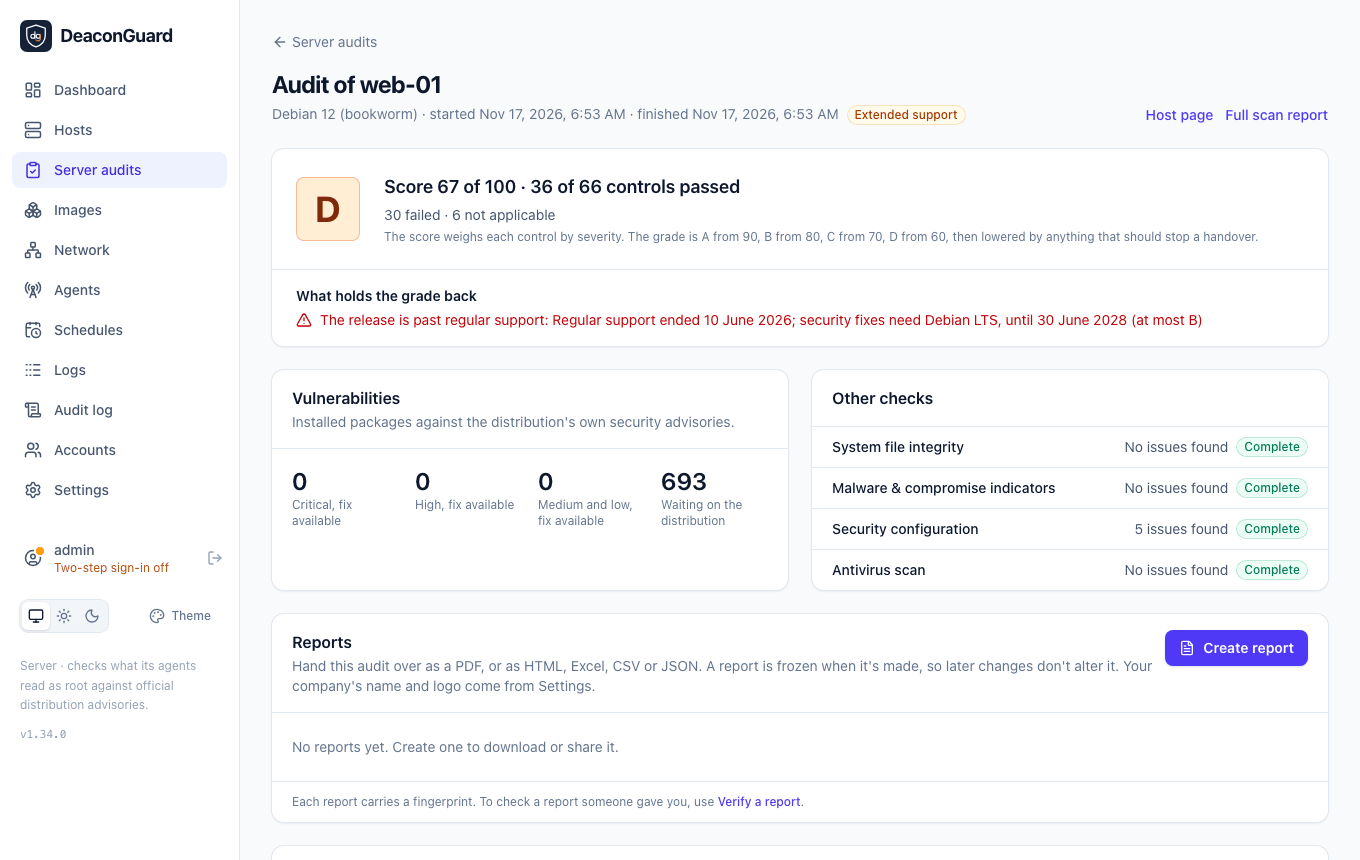
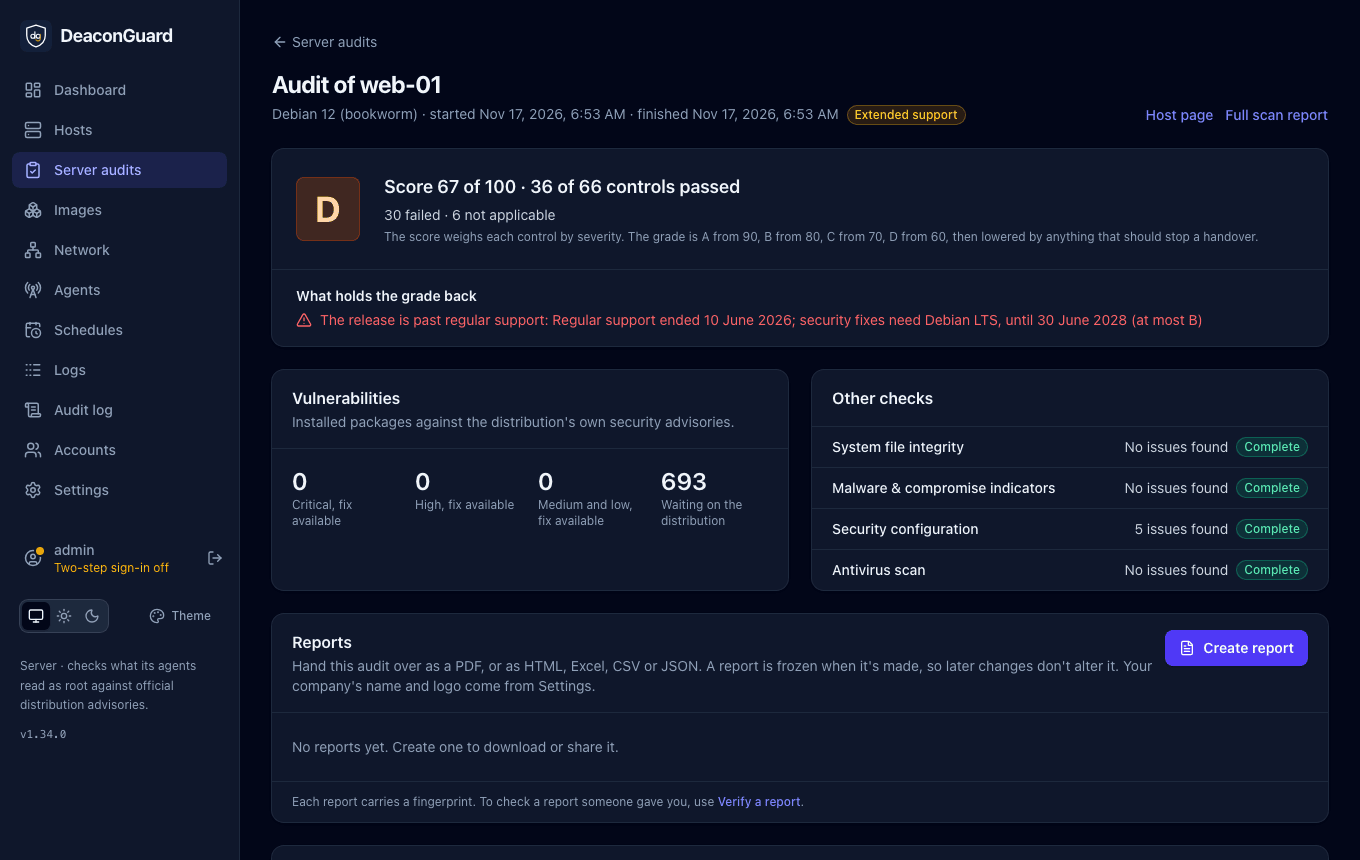
The grade comes from the score: A from 90, B from 80, C from 70, D from 60, and F below that. Then anything that should stop a handover lowers it, whatever the score:
| Found | Grade at most |
|---|---|
| Malware or signs of compromise | F |
| System files that differ from what their packages installed | D |
| A vulnerability known to be exploited (CISA KEV) with a fix available | D |
| A release past its end of life: no more security fixes | D |
| Critical vulnerabilities with a fix available | C |
| A failed critical control, such as an account with an empty password | C |
| High-severity vulnerabilities with a fix available | B |
| A release on extended support only: Ubuntu Pro, Debian LTS or SUSE LTSS | B |
The audit's page lists these under What holds the grade back, and anything that couldn't be checked fully under Not fully checked, for example controls that need root when the audit ran without it.
Read the results
The audit's page shows:
- the grade, the score, and how many controls passed, failed, were accepted or don't apply;
- what holds the grade back;
- vulnerabilities with a fix available, by severity, and the result of each other check;
- every control, filtered by Failed, Accepted, Passed or the rest. Open one to see the evidence found, why it matters and how to fix it;
- the inventory.
Full scan report links to every finding in detail. To hand the audit over, Create report makes a PDF with your branding and the client's name, also as HTML, Excel, CSV or JSON: see Reports.
Audits are kept until someone deletes them: they don't count towards the 10 scans each host keeps.
Accepted risks
Sometimes a failed control is right for a particular machine: password logins needed by a client's legacy tool, or IP forwarding on a router. An admin opens the control and chooses Accept the risk, with:
- a reason, shown with the control and recorded in the audit log;
- this host only or every host;
- an expiry date, 90 days ahead by default, or none.
An accepted control shows as Accepted in that audit and later ones, and leaves the score. When the risk expires, or an admin chooses Withdraw, the control counts as failed again.
The DeaconGuard Linux baseline
The baseline is DeaconGuard's own set of hardening controls for servers, written from common Linux security practice. Each control reports pass, fail, not applicable (for example SSH controls on a machine without an SSH server), or not checked (the evidence couldn't be read, usually without root).
The controls read the machine's settings with fixed, read-only commands, and audits also show how they map to compliance frameworks and, on Ubuntu 22.04 and 24.04 and RHEL 8 and 9, to the rules of the DISA STIG, next to your own policies. Some need root: password files, the firewall, file permissions across the disk and the audit rules. Agents run as root, so audits through an agent see everything. Only the account names and whether a password is set are read from /etc/shadow; password hashes never leave the file.
Accounts and passwords
| ID | Control | Severity |
|---|---|---|
| ACC-01 | Only root has user ID 0 | Critical |
| ACC-02 | No account has an empty password | Critical |
| ACC-03 | Passwords expire within a year | Low |
| ACC-04 | Passwords need at least 12 characters | Medium |
| ACC-05 | Accounts lock after repeated failed logins | Medium |
| ACC-06 | New files are not readable by everyone | Low |
| ACC-07 | System accounts cannot log in | Medium |
| ACC-08 | Every account has its own user ID | Medium |
| ACC-09 | Unused accounts are locked after 90 days | Low |
| ACC-10 | Passwords can't reuse the last 4 | Medium |
| ACC-11 | Accounts lock after at most 10 failed logins | Medium |
SSH
| ID | Control | Severity |
|---|---|---|
| SSH-01 | Root cannot log in over SSH with a password | High |
| SSH-02 | SSH password logins are off | Medium |
| SSH-03 | SSH refuses empty passwords | Critical |
| SSH-04 | SSH X11 forwarding is off | Low |
| SSH-05 | SSH allows at most 4 login attempts per connection | Low |
| SSH-06 | Idle SSH sessions are closed | Low |
| SSH-07 | SSH host-based authentication is off | Medium |
| SSH-08 | SSH ignores .rhosts files | Medium |
| SSH-09 | SSH logins must finish within a minute | Low |
| SSH-10 | Users cannot pass environment settings to SSH | Low |
| SSH-11 | SSH uses no weak ciphers or MACs | Medium |
| SSH-12 | Only root can read the SSH server configuration | Medium |
| SSH-13 | SSH shows a warning banner before login | Low |
| SSH-14 | SSH logs every login | Low |
Network
| ID | Control | Severity |
|---|---|---|
| NET-01 | IP forwarding is off | Medium |
| NET-02 | ICMP redirects are not accepted | Low |
| NET-03 | ICMP redirects are not sent | Low |
| NET-04 | Source-routed packets are refused | Medium |
| NET-05 | Reverse path filtering is on | Low |
| NET-06 | SYN cookies are on | Low |
| NET-07 | Broadcast pings are ignored | Low |
| NET-08 | Impossible source addresses are logged | Low |
| NET-09 | IPv6 redirects are not accepted | Low |
Kernel
| ID | Control | Severity |
|---|---|---|
| KRN-01 | Address space layout randomisation is fully on | High |
| KRN-02 | Only root can read the kernel log | Low |
| KRN-03 | Kernel addresses are hidden | Low |
| KRN-04 | Processes cannot trace unrelated processes | Low |
| KRN-05 | Privileged programs don't write core dumps | Medium |
| KRN-06 | Hard and symbolic link protection is on | Medium |
| KRN-07 | Core dumps are off for everyone | Low |
Services and firewall
| ID | Control | Severity |
|---|---|---|
| SVC-01 | A host firewall is active | Medium |
| SVC-02 | No risky service listens on every interface | High |
| SVC-03 | No legacy remote-access servers are installed | High |
| SVC-04 | No graphical desktop server is installed | Low |
| SVC-05 | Printing and service discovery are not running | Low |
| SVC-06 | The mail server only accepts local mail | Medium |
| SVC-07 | USB storage can't be used | Low |
Logging and auditing
| ID | Control | Severity |
|---|---|---|
| LOG-01 | The audit daemon is running | Medium |
| LOG-02 | Audit rules are loaded | Low |
| LOG-03 | System logs are collected | Medium |
| LOG-04 | Logs survive a reboot | Low |
| LOG-05 | Log files aren't readable by everyone | Low |
Files and permissions
| ID | Control | Severity |
|---|---|---|
| FS-01 | /etc/passwd is protected | High |
| FS-02 | /etc/shadow is protected | Critical |
| FS-03 | /etc/group is protected | Medium |
| FS-04 | /etc/gshadow is protected | Medium |
| FS-05 | Only root can change scheduled jobs | Low |
| FS-06 | /tmp is mounted nodev and nosuid | Low |
| FS-07 | /dev/shm is mounted nodev, nosuid and noexec | Low |
| FS-08 | No files are writable by everyone | Medium |
| FS-09 | Shared directories have the sticky bit | Medium |
| FS-10 | Every file has an owner | Low |
| FS-11 | No setuid programs outside system directories | Medium |
| FS-12 | Only root can read the boot loader configuration | Low |
| FS-13 | Home directories are private | Low |
Updates
| ID | Control | Severity |
|---|---|---|
| UPD-01 | Security updates install automatically | Medium |
| UPD-02 | No reboot is pending to finish updates | Medium |
| UPD-03 | Packages are only installed from signed sources | Medium |
Time
| ID | Control | Severity |
|---|---|---|
| TIME-01 | Time synchronisation is running | Medium |
| TIME-02 | The clock is synchronised | Low |
Mandatory access control
| ID | Control | Severity |
|---|---|---|
| MAC-01 | AppArmor or SELinux is enforcing | Medium |
The DeaconGuard macOS baseline
On a Mac, the audit checks 18 controls of DeaconGuard's macOS baseline, written from Apple's own security guidance, with fixed, read-only commands: fdesetup, csrutil, spctl, the application firewall, launchctl, systemsetup, softwareupdate --list --no-scan (which uses what the Mac already knows, without asking Apple), and the system's preference files. Settings a configuration profile from an MDM sets win over local ones, as on the Mac itself, and the evidence says which applied.
The agent runs as root, so it sees everything. Without root, Remote Login and network time can't be read and are reported as not checked.
Control IDs start with MACOS-, so they never mix with the Linux baseline's. Like the Linux controls, they map to compliance frameworks, and a control that doesn't fit, such as Screen Sharing on a Mac your IT team manages with it, can be accepted.
System protection
| ID | Control | Severity |
|---|---|---|
| MACOS-01 | FileVault encrypts the startup disk | High |
| MACOS-02 | System Integrity Protection is on | High |
| MACOS-03 | Gatekeeper checks apps before they open | High |
| MACOS-04 | XProtect's malware definitions are recent (45 days) | Medium |
Services and firewall
| ID | Control | Severity |
|---|---|---|
| MACOS-05 | The firewall is on | Medium |
| MACOS-06 | The firewall's stealth mode is on | Low |
| MACOS-07 | Remote Login (SSH) is off | Medium |
| MACOS-08 | Screen Sharing and Remote Management are off | Medium |
| MACOS-09 | File Sharing is off | Low |
Accounts and passwords
| ID | Control | Severity |
|---|---|---|
| MACOS-10 | The guest account is off | Medium |
| MACOS-11 | Automatic login is off | High |
Updates
| ID | Control | Severity |
|---|---|---|
| MACOS-12 | The Mac checks for updates automatically | Medium |
| MACOS-13 | macOS updates download automatically | Low |
| MACOS-14 | Security responses and system files install automatically | High |
| MACOS-15 | macOS updates install automatically | Low |
| MACOS-16 | App Store apps update automatically | Low |
| MACOS-17 | No found updates are waiting to be installed | Medium |
Time
| ID | Control | Severity |
|---|---|---|
| MACOS-18 | The clock is set automatically | Low |