Attack paths
The Attack paths check (paths) answers two questions about a Linux machine: if someone gets into any account on it, how could they become root, and which secrets could they read? It also finds SSH keys that many of your machines trust, where one stolen key opens all of them.
The check only reads. It never runs an exploit, tries a password or logs in anywhere. It reads permissions and file names; the contents of a secret are never read and never leave the machine.
It needs the DeaconGuard agent 1.26.0 or later. Agents run as root, so they see everything. Without root, sudoers rules, root's cron jobs and the SSH keys accounts trust aren't read, secrets in other accounts' homes may be missed, and the check says it has partial coverage.
Turn it on
The check is a scan's Attack paths box, in the scan dialog and in each schedule, or:
deaconguard scan HOST_ID --checks packages,paths
What is reported
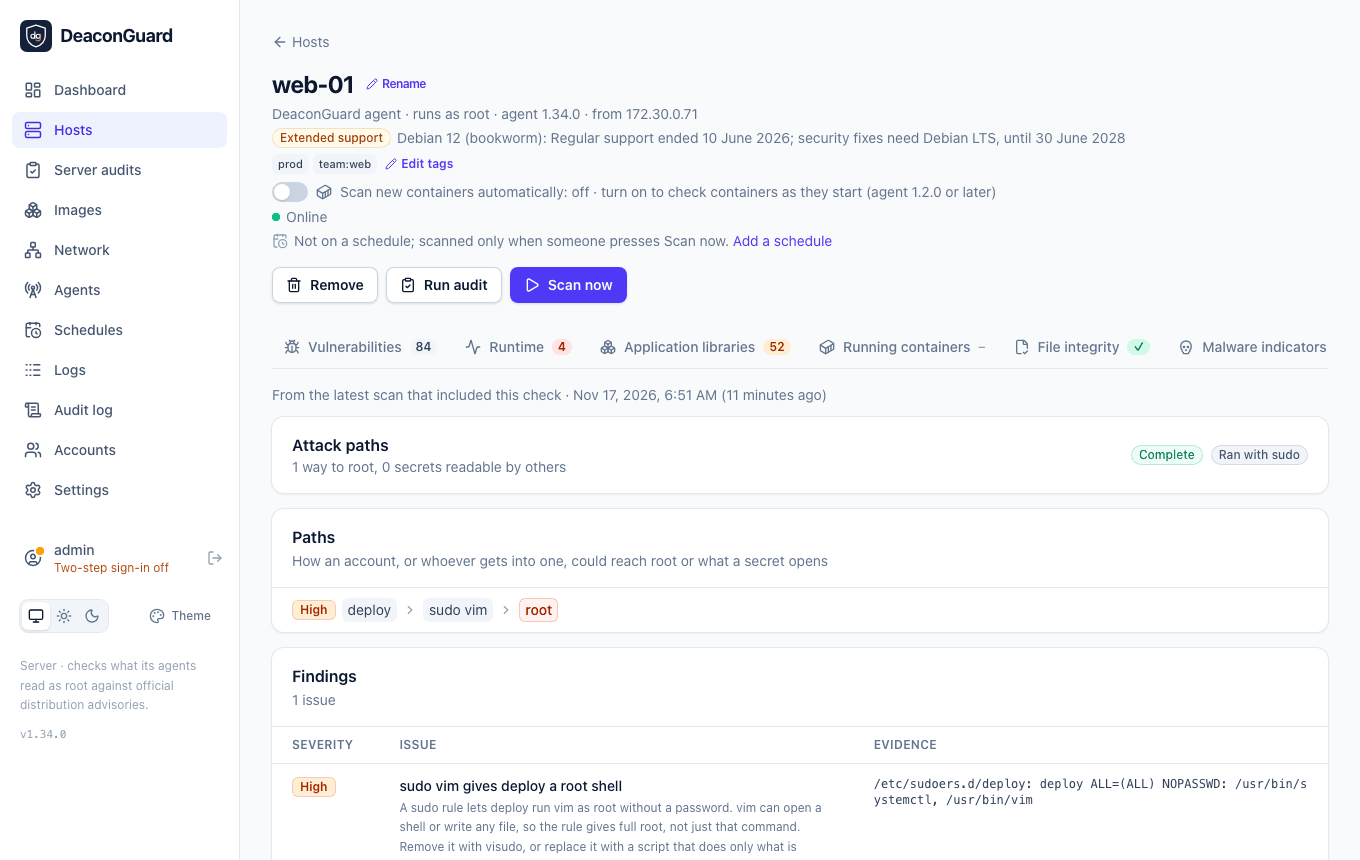
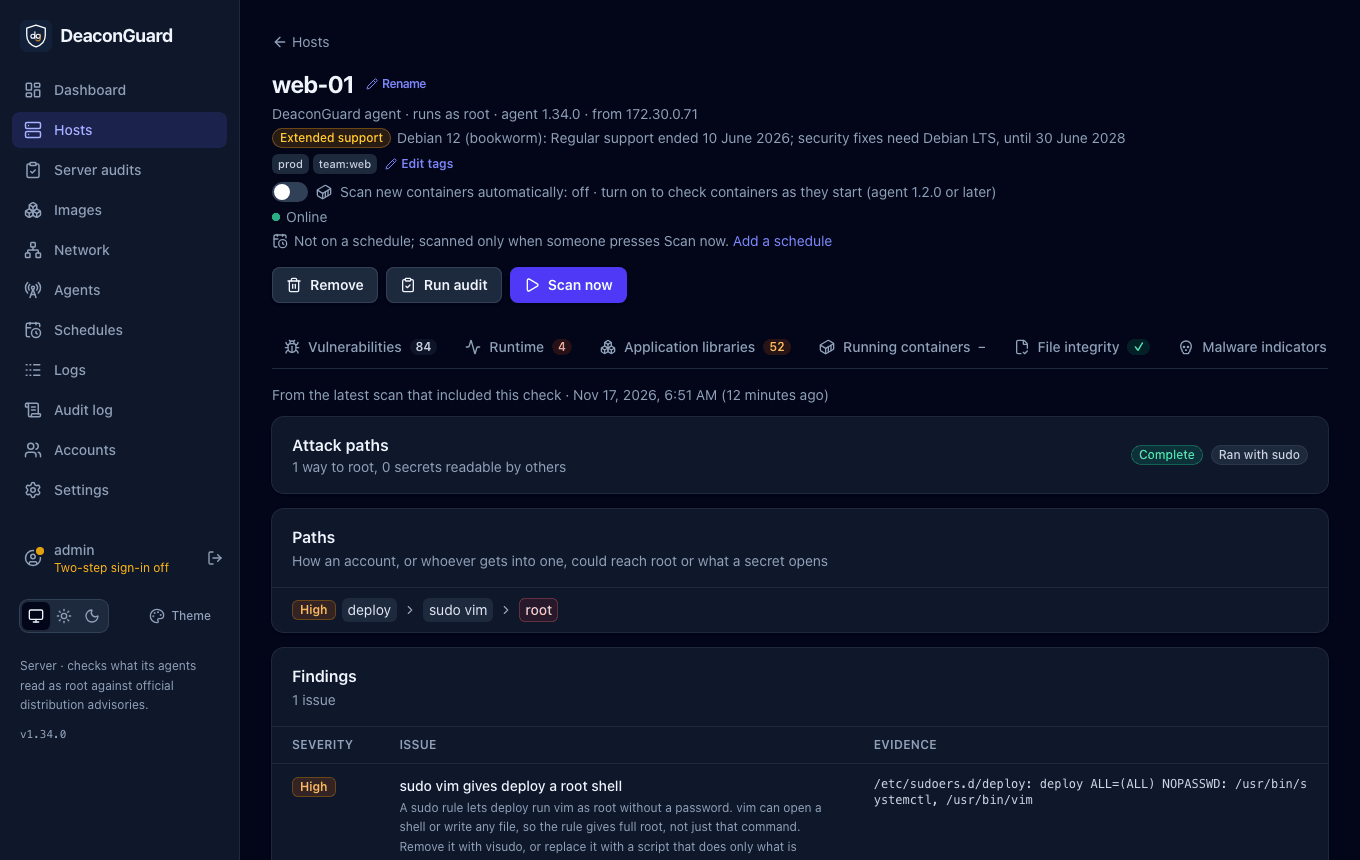
Each finding is on the scan's Attack paths tab. The Paths card lists each one as a chain, such as deploy > docker group > root or every account > reads /home/deploy/.ssh/id_rsa > logs in where deploy's key is trusted, and the findings table below it says what to do.
Ways to root
| Rule | Finding | Severity |
|---|---|---|
DG-AP-001 | A sudo rule gives root without a password (NOPASSWD: ALL), such as the one cloud images add for their default user | Medium |
DG-AP-002 | A sudo rule lets an account run, as root, a program that opens a shell or writes any file, such as vim, less, find, python3, tar or cp: the rule gives full root, not just that command | High without a password, Medium with one |
DG-AP-003 | An account is in the docker, lxd or disk group, which is root in all but name | High |
DG-AP-004 | Other accounts can use the Docker, Podman or containerd socket | Critical for every account, High for a group |
DG-AP-005 | Another account can change a file root runs, or its directory: a script in root's crontab, /etc/cron.d or the cron.daily folders, a service that runs as root, a unit file in /etc/systemd, or a program a sudo rule runs | Critical for every account, High otherwise |
DG-AP-006 | Another account can write to a directory in root's PATH (sudo's secure_path, /etc/environment, or the default), where a program named like a common command would run as root | Critical for every account, High otherwise |
DG-AP-007 | A program in a system directory that opens a shell, such as find or python3, is setuid root, so every account can become root | High |
DG-AP-008 | A program has a file capability that gives root, such as cap_setuid or cap_dac_override | High for a program that opens a shell, Medium otherwise |
Programs that are setuid by design, such as sudo, su and passwd, aren't reported. The hardening audit reports setuid programs outside system directories (FS-11) and world-writable files (FS-08). Sudo rules that use aliases (Cmnd_Alias, User_Alias) aren't expanded; the check notes them so you can review them yourself.
Secrets other accounts can read
A secret is reported when an account other than its owner can read it: every account, or a group other than the owner's own.
| Rule | Secret | Severity |
|---|---|---|
DG-AP-010 | Private SSH keys (~/.ssh/id_*), the machine's SSH host keys, and private keys (id_rsa, *.key, *-key.pem) under /var/www, /srv and /opt | High |
DG-AP-011 | Cloud and service credentials: ~/.aws/credentials, Google Cloud's and Azure's credential files, ~/.kube/config, ~/.docker/config.json, .netrc, .git-credentials, .pgpass and .my.cnf | High |
DG-AP-012 | .env files, in home directories and under /var/www, /srv and /opt; .env.example and similar aren't reported | High for every account, Medium for a group |
The check looks in each login account's home (root's included) three folders deep, and in /var/www, /srv and /opt four deep. It lists at most 50 secrets of each kind.
SSH keys trusted on many machines
| Rule | Finding | Severity |
|---|---|---|
DG-AP-020 | The same SSH key is in authorized_keys on 3 or more machines: whoever has it, from a laptop, a CI secret or a backup, reaches all of them at once | High when it logs in as root on any of them, Medium otherwise |
The agent sends the server each key's fingerprint, the SHA256 one ssh-keygen -l shows, never the key. The server compares the fingerprints of every machine's latest scan that ran the check, so a machine is counted once it has been scanned. The finding names the other machines and the account the key logs in as on each.
Notifications
To be told about new findings, tick Attack paths on a notification channel. It sends the high and critical findings a host's previous scan didn't have.
What leaves the machine
- Secrets as their path, owner, group and permissions. Their contents are never read.
- SSH keys as their fingerprints, which the agent works out itself.
- Sudo rules and cron lines that the findings quote as evidence.
How light it is
The check is three short shell scripts at the lowest CPU priority: one lists groups, container sockets, the setuid programs and file capabilities of the system's bin and sbin folders, root's PATH, running services and the secrets' permissions; one, with root, reads the sudoers files, root's crontabs and authorized_keys; and one reads the permissions of the files root runs and their folders. Every list is capped. On a test machine it took about a tenth of a second.